

AI Usage Boundary and Risk Awareness Playbook
AI at Work: What’s Safe, What’s Not, and What to Ask Next
A practical guide for practitioners who are already using AI at work and want clearer judgment, safer habits, and better questions before they scale what they’re doing.
For practitioners, operators, team leads, and managers
Whether you’ve been given formal guidance or not, this page is for people already using AI to get work done such as drafting, summarizing, researching, cleaning up documents, and moving tasks forward faster.

90% would recommend • 112% proficiency lift • 80% increase in AI confidence
AI at Work
Problem
Most operators are not looking for more AI inspiration.
They are looking for a workflow they can trust.
But in day-to-day work, AI often shows up in a messier way:
helpful once, inconsistent the next time
fast, but not always reliable
useful for parts of the task, but still dependent on you remembering what to do, what not to share, and how to phrase everything from scratch
spread across too many tools, tabs, and habits that no one has clearly defined yet
That creates a practical problem:
You may be moving faster, but without a clean system for what is safe, what is not, and how to make good decisions when the setup is unclear.
Why It Matters
For practitioners and operators, the real risk is usually not abstract.
It looks like this:
the wrong information goes into the wrong tool
a personal account gets used for real work
a browser extension gets installed without anyone checking what it can access
a task gets repeated often enough that a risky shortcut starts to feel normal
AI usage is moving faster than policy, training, and tool guidance in many organizations. That means better judgment at the practitioner level matters now especially when the workflow is already in motion.
You do not need perfect certainty to work more responsibly.
You need a safer default, a few clear boundaries, and the habit of asking better questions before you scale what you are doing.
What’s Safe and What’s Not
Start with one simple rule:
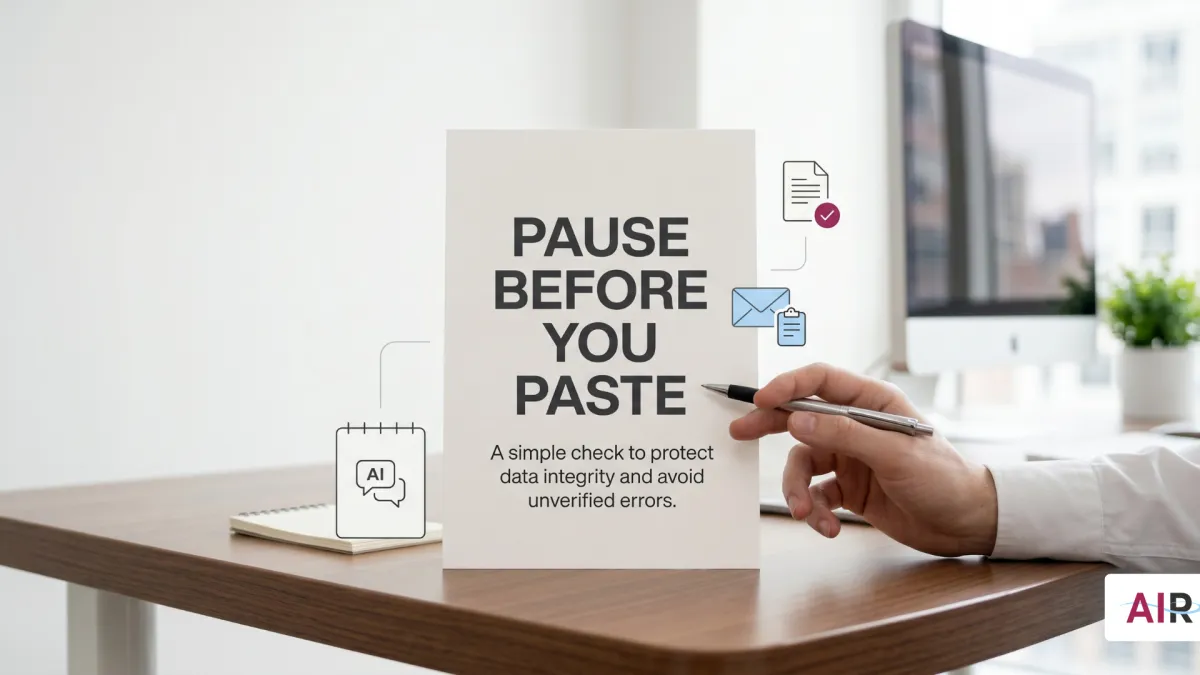
If you would not send it in an ordinary email to someone outside your organization, do not paste it into an external AI tool.
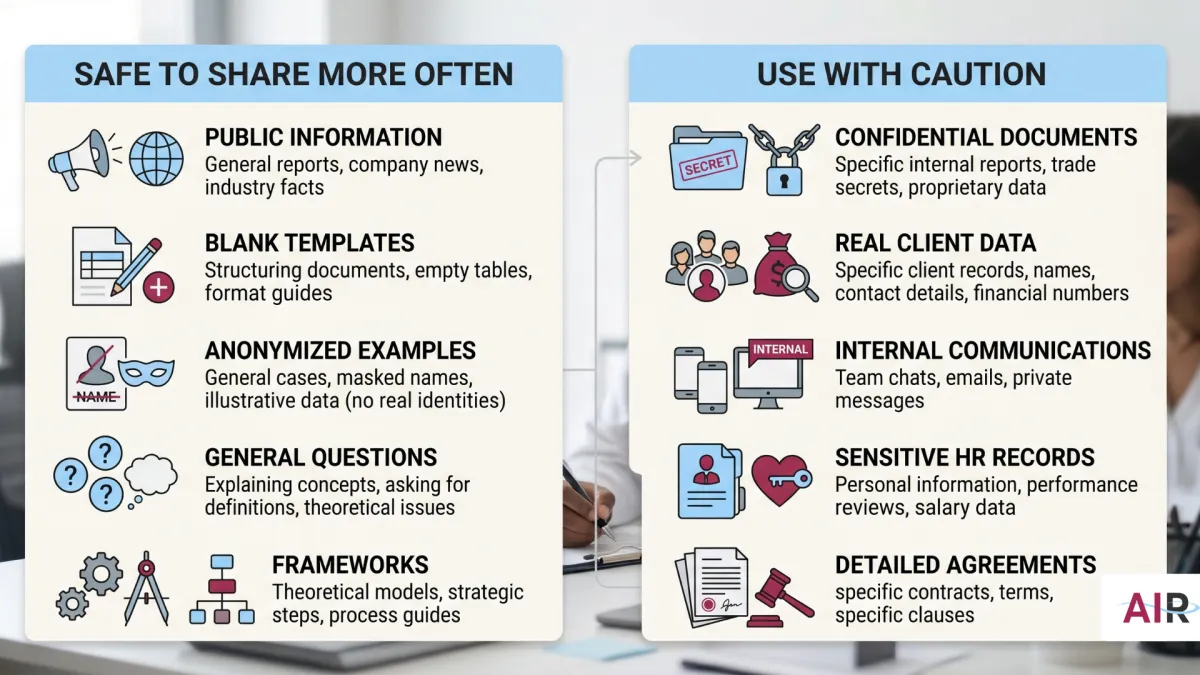
What should not go into an external AI tool
Treat any tool as external if it runs outside your organization’s approved environment, uses a personal account, or you are not sure how it is governed.
Do not paste in:
employee, candidate, or manager personal details
client or customer names, contact details, or account records
compensation, performance, or disciplinary information
internal strategy, pricing, roadmaps, or unreleased plans
contracts, legal strategy, settlement language, or investigation notes
health, leave, or accommodation information
passwords, keys, tokens, or credentials
nonpublic budgets, financials, or earnings details
anything that feels sensitive enough to make you hesitate before sharing it externally
What is generally safer to share
In general, lower-risk inputs include:
public information
blank templates and draft structures
your own writing after sensitive details are removed
anonymized or hypothetical examples
general workflow or skills questions
frameworks and outlines that do not contain proprietary information
How to read the risk level faster
Most of the time, the risk is not just the tool name. It is:
how you are signed in
what terms apply to your data
whether your organization approved that setup
A practical default:
Personal account you signed up for yourself → high risk for real work data
Unapproved extension or plug-in → high risk
Enterprise tool provisioned by your organization → lower risk, but still subject to your org’s boundaries
Setup you cannot clearly describe → high risk until confirmed otherwise
When in doubt, use the approved path or pause until you can confirm what applies.
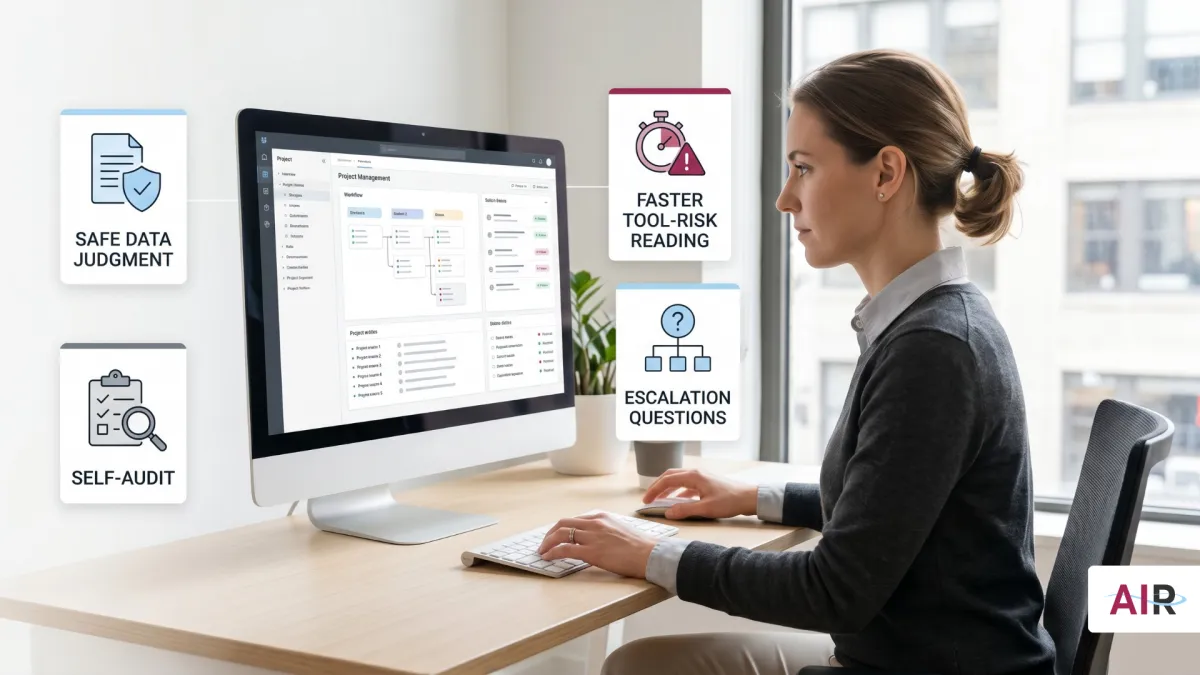
Self-Audit
This is not a compliance exercise. It is an operational reset.
The goal is simple: stop relying on memory and make your current AI usage easier to explain, defend, and improve. That fits how operators already think: inputs, process, output, review, reuse.
Step 1: Build your tool inventory
List every AI tool you use for work-related tasks:
chat tools
writing assistants
research tools
browser extensions
transcription tools
anything with an AI feature you actively rely on
For each one, note:
tool name
account type: personal or work
main task you use it for
whether you have ever shared sensitive information in it: yes, no, or unsure
Step 2: Ask the one question that matters
For each tool, ask:
If my manager saw exactly what I pasted into this tool, would they be comfortable with it?
Use that answer to decide:
Yes → keep using it for that task, and switch to a work-approved version if one exists
Unsure → treat it as higher risk until you have clarity
No → stop using that tool for that kind of information and move the task elsewhere
Step 3: Close one gap this week
Pick the highest-risk item from your current setup and do one thing:
move the task to an approved AI account or tool
replace names and figures with placeholders
ask IT or your manager what the approved option is
pause the task until you know the boundary
Progress matters more than having the perfect system on day one. Operators do not need more theory. They need one cleaner workflow that works.
What to Ask Next
If the setup is unclear, do not guess. Ask directly.
These are good practitioner questions because they reduce ambiguity without turning the interaction into a big compliance event.
1. What is the approved AI tool for drafting, summarizing, research, or writing tasks here?
Ask this when you want the cleanest approved path instead of piecing it together yourself.
2. Is there a list of AI tools I can use, and are there tools I should avoid for sensitive work?
Ask this when your team is using a mix of tools and no one seems sure what is actually okay.
3. I’ve been using [tool name] for [task]. Is that aligned with current guidance, or should I be using something else?
Ask this when you want clarity before a habit gets embedded more deeply into the workflow. It is a professional check-in, not a confession.
What Good Looks Like
You do not need perfect policy coverage to work with better judgment.
A strong operator setup looks more like this:
you know which tools you use and how you sign in to them
you know what should never leave the approved environment
you use the approved path for real work data when it exists
you ask clarifying questions early instead of cleaning up confusion later
you anonymize when the task needs to stay high-level
when uncertain, you pause, ask, or simplify the input before moving forward
That is not perfection.
That is cleaner execution.

What Good Looks Like for Organizations
Teams using LearnAIR-supported workflows report:
Faster, clearer HR communications supported by structured summaries and briefs
Reduced rework through version control and shared standards
Safer AI usage through defined access, refusal patterns, and data boundaries
Measurable outcomes including time saved, throughput, quality, and adoption

Program Metrics:
112% increase in self-reported AI proficiency after six sessions
80% of participants report increased confidence using AI
93% positive trainer experience rating
90% would recommend the program
TESTIMONIALS
What Leaders Are Saying
Jarome
Arrowhead Strategy Group
“If you haven’t checked out LearnAIR for your team… it’s awesome… What you’ve built is actually useful and can be implemented. We’re starting to implement it. All three of us have completely different workflows… and we can start immediately… it’s a game changer.”
Anisah A.
HR Director, Les Schwab
“I’ve done learning and development in my past career and had to be the expert and the coach. These AI coaches are way better than I was. It has helped us communicate better, more efficiently, and more accurately.”
Lawrence K.
RDG Companies
My team and I learned a variety of practical applications of ChatGPT beyond the basic prompt-reply process.
Several members of our organization are now implementing AI in ways to improve their productivity and that of their teams.
Recommend to others for Great instructors; practical knowledge.
Erik
Loominary
My conversation engineer sent me a custom GPT that's our legal advisor to make sure all of our structures inside of our business account and ChatGPT are properly siloed. So we're not sharing information incorrectly. He literally just learned how to do that in our session right before this, and now we have another asset that we use internally to make sure stuff works there. Otherwise we would have had to spend a lot of time worrying about contracts where we're sharing privacy language around. Now we have a tool that checks it for us because of Justin's training. And I didn't build any of it. Somebody else did it all. He just sent it to me and now I can use it
Aiden K.
Reveille and Retreat
Continue to learn more about the ChatGPT Agent feature and how to make ChatGPT do work for you
Justin is phenomenal to work with
Honing in on the exact instructions for my custom GPT
John H.
Consultant
My mind's blown with the strategic possibilities. We're thinking about how AI can entirely reshape our processes and even client service models for manufacturing clients.
Nick
Loominary
“Now we have a pretty streamlined process… converting customer input into deliverables… I couldn't do that without GPT… it would take way longer.”
Scott N.
Manager of Benefits and Compensation
I see this as an exciting tool to help enhance communications and other aspects of our benefits and compensation work.
OUR SERVICES
How LearnAIR Supports Organizations
Pilot Sprint (30 Days)
Build your first digital teammate, instrument KPIs, and document results.
Governance Fast-Start
Define guardrails, versioning standards, and output quality expectations.
Enablement Foundations (6–8 Weeks)
Turn a pilot into a repeatable capability with additional workflows and adoption routines.
Enablement OS (Ongoing)
Quarterly builds, governance tune-ups, and continuous improvement.

Frequently Asked Questions
Is this compliant and safe?
Yes. LearnAIR emphasizes governed usage, clear data boundaries, and IT-aligned practices.
Who owns what we build?
Your team owns all personas, workflows, and digital teammates created.
How do we measure success?
We track time saved, throughput, quality signals, and adoption, summarized in an after-action review leaders can quickly understand.
Don't Forget the Human Part